Your ideas. Your agent. Your finishing touch.
What
you mean.
Whatthey see.
Your agent builds the first draft. Orra puts the next move in your hands.
Edit the words. Point to a detail. Show the design.
01 / Direct editing
The right words.
By your hand.
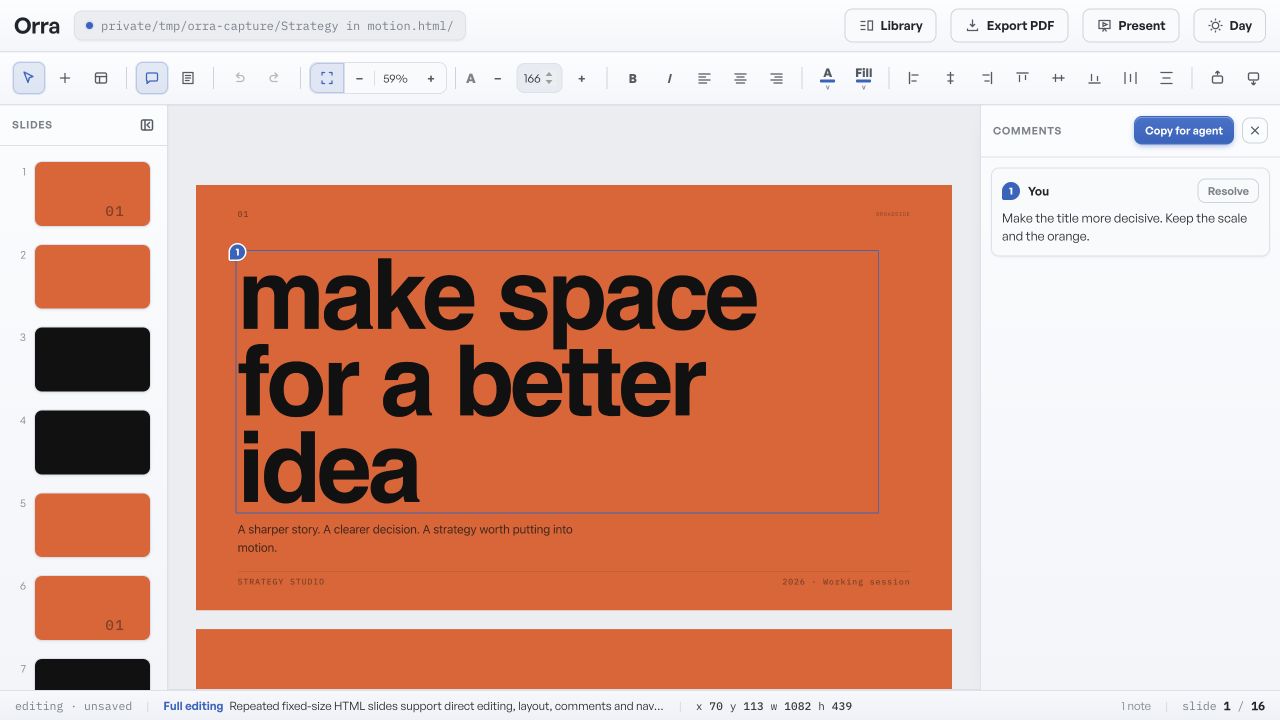
A title needs a sharper point. Click into the slide and change it yourself, without another round of prompting.
Your wording changes.
The rest of the slide stays put.

02 / Visual comments
Point here.
Say it once.
Leave comments on the exact detail. Copy one instruction for your agent to address every open comment in the deck.
One handoff.
All your feedback, in context.
03 / Consulting layouts
Show the structure.
Skip the essay.
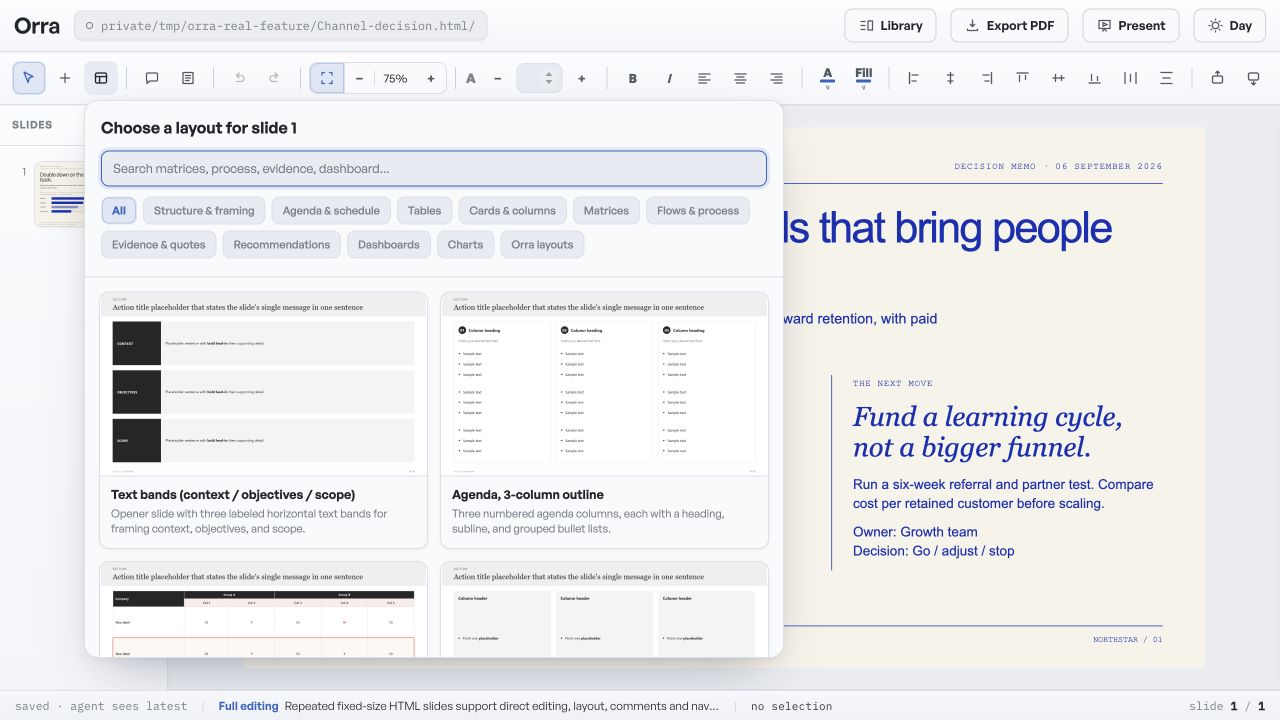
Pick a layout from the consulting gallery and tag your slide. Your agent gets a concrete reference for the rebuild.
You choose the structure.
Your agent does the rearranging.
04 / Presentation designs
A point of view.
Before slide one.
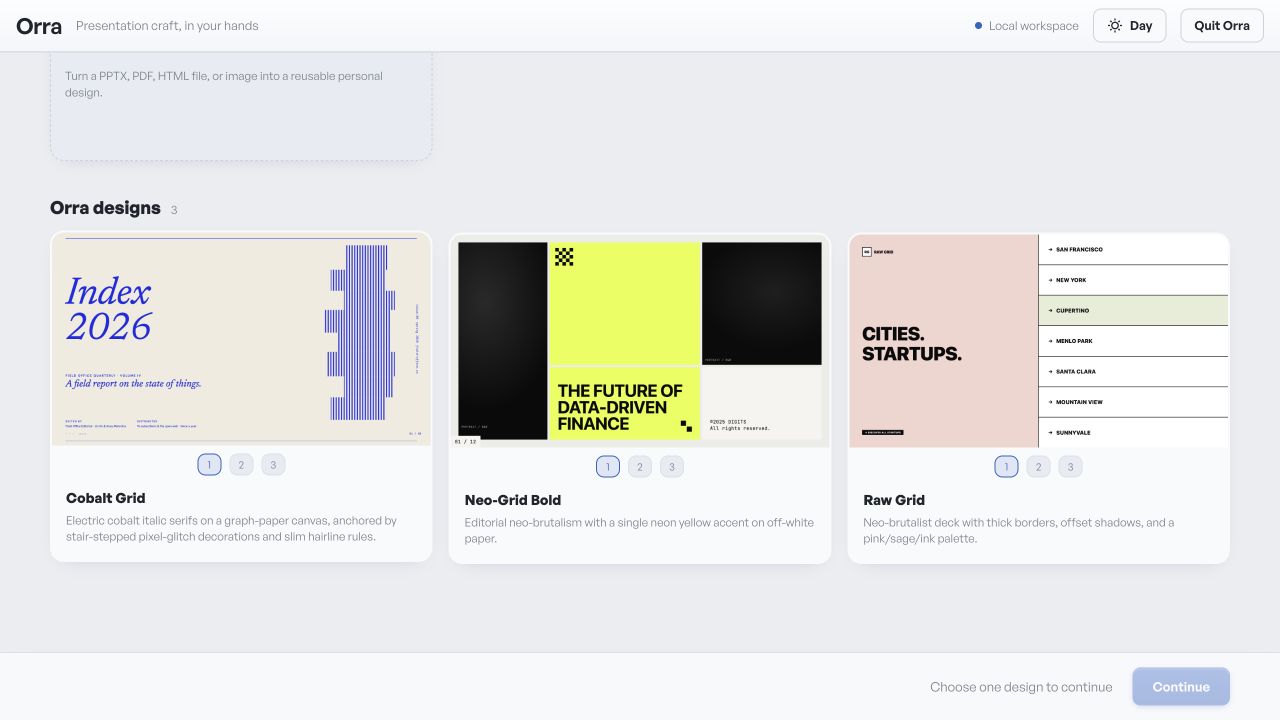
Explore complete visual directions, from quiet editorial pages to bold graphic decks. Give your agent a design to build from.
Choose a visual language.
Carry it through the deck.
A small invitation
Bring your
point of view.
For the presentations you care about getting right. Join Orra’s private beta for macOS and Windows.